Has my idea already been patented? The check to run before you file
A short interview fills an idea card, then The Patent AI looks for similar patents element by element
Before spending money on a patent application, it helps to know two things: what exactly your idea is, and whether something similar has already been published. The Patent AI helps with both, and says what it could not check.
Short answer. To find out whether an idea has already been patented, describe it clearly, then search for similar documents. In The Patent AI, a short interview fills an idea card, and a separate novelty check looks for similar patents for each element of the idea and sets them side by side in a table. The check lists what it found and what it could not check. It does not say whether the idea is patentable.
What is an idea card?
The idea card is a one-page summary that the assistant fills in while you talk. It has six rows: the problem, the solution, what sets the idea apart, the sector, where you want to protect it, and whether the idea has already been disclosed. When the interview ends, the card gains up to three recommended steps. You can download it as a PDF: the print dialog opens, and you choose "Save as PDF".
The figures in this article are redrawn from the tool and use an invented example, a folding bicycle helmet.
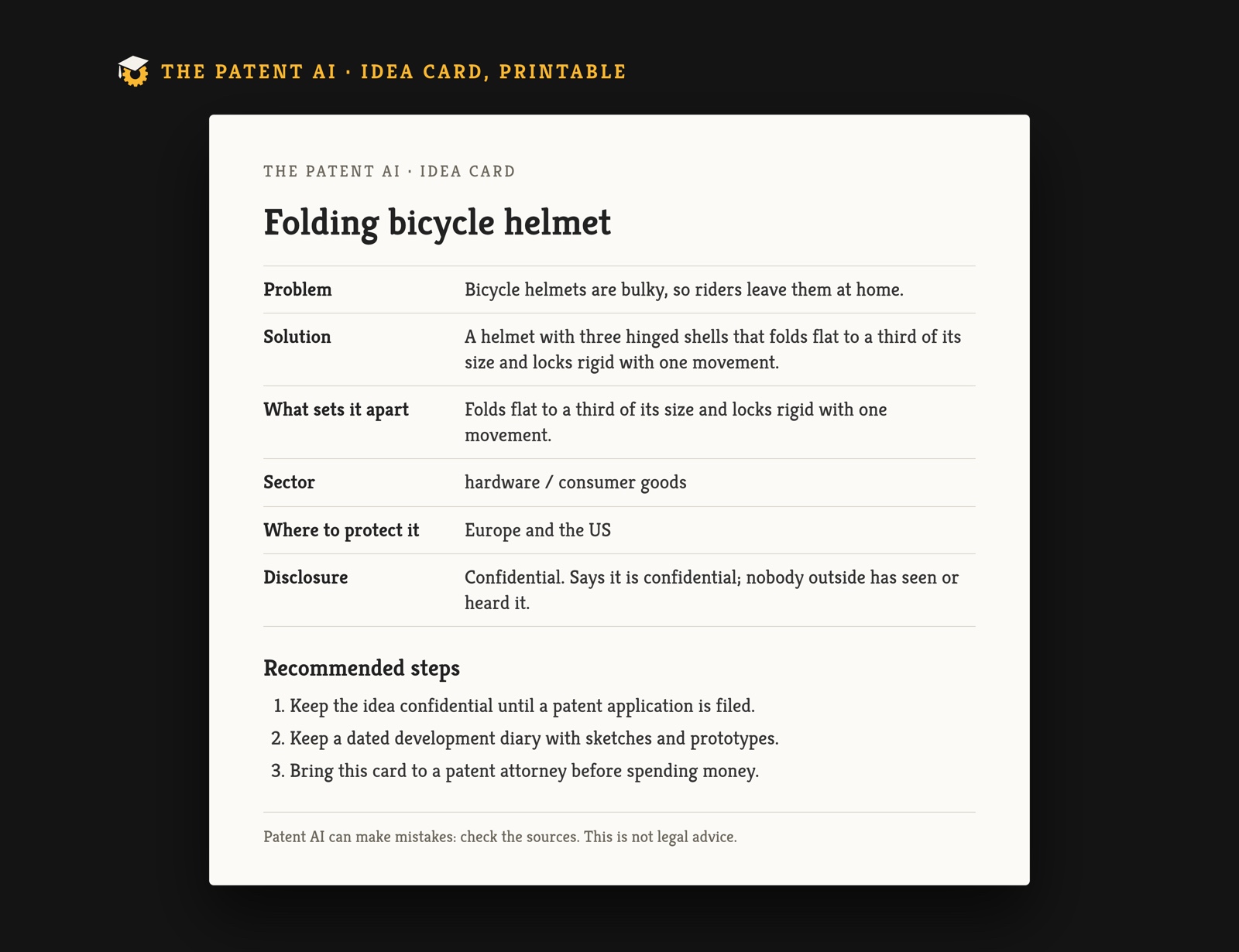 The printed card.
How does the interview work?
You start with the "I have an idea to protect" card on the first screen, or by writing that you have an idea. The assistant then asks one question at a time and never more than six:
- Whether you have already talked about the idea with anyone or shown it in public, at a fair, in a shop or online. You can answer with a button: confidential, shown in public, or only with people you trust.
- What problem the idea solves and how it works, in a few words.
- What your idea does that others do not.
- Where you want to protect it: Italy, Europe, the United States, or "I do not know yet".
The sector is not asked. The assistant reads it from what you wrote. With each answer the matching row of the card fills in, and a counter shows how many rows are known.
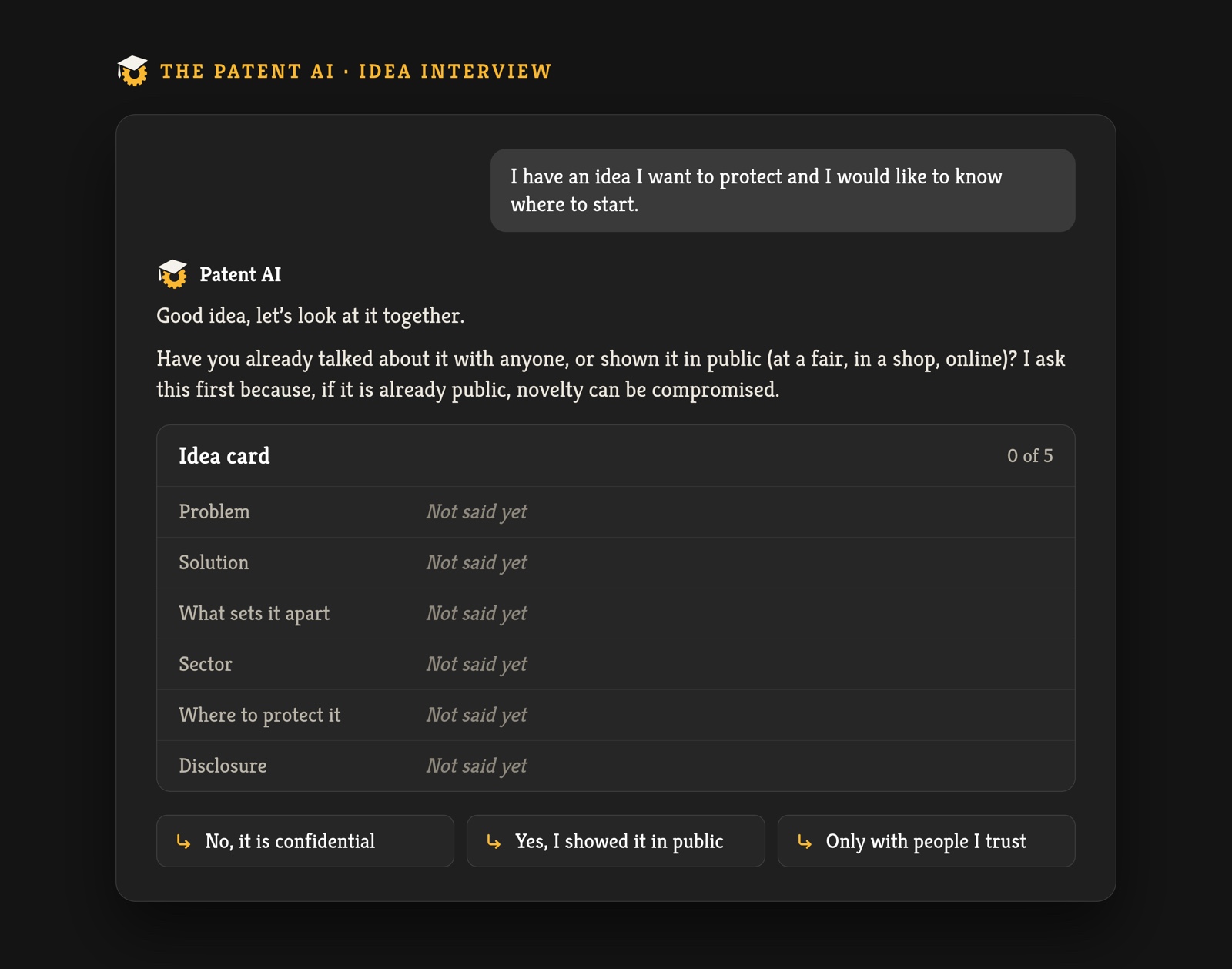 The first question, with the card still empty.
Why does the first question ask about public disclosure?
Because, as the assistant puts it, if an idea is already public, novelty can be compromised. Novelty is one of the conditions for a patent. The rules differ from country to country, so the card only records what you said, and the question belongs in your first conversation with a patent attorney.
What happens when the interview ends?
The assistant says it has what it needs, shows the finished card and, below it, writes what the sources say, each with a numbered source. The recommended steps are short and concrete. In the example they say to keep the idea confidential until an application is filed, to keep a dated development diary with sketches and prototypes, and to bring the card to a patent attorney before spending money.
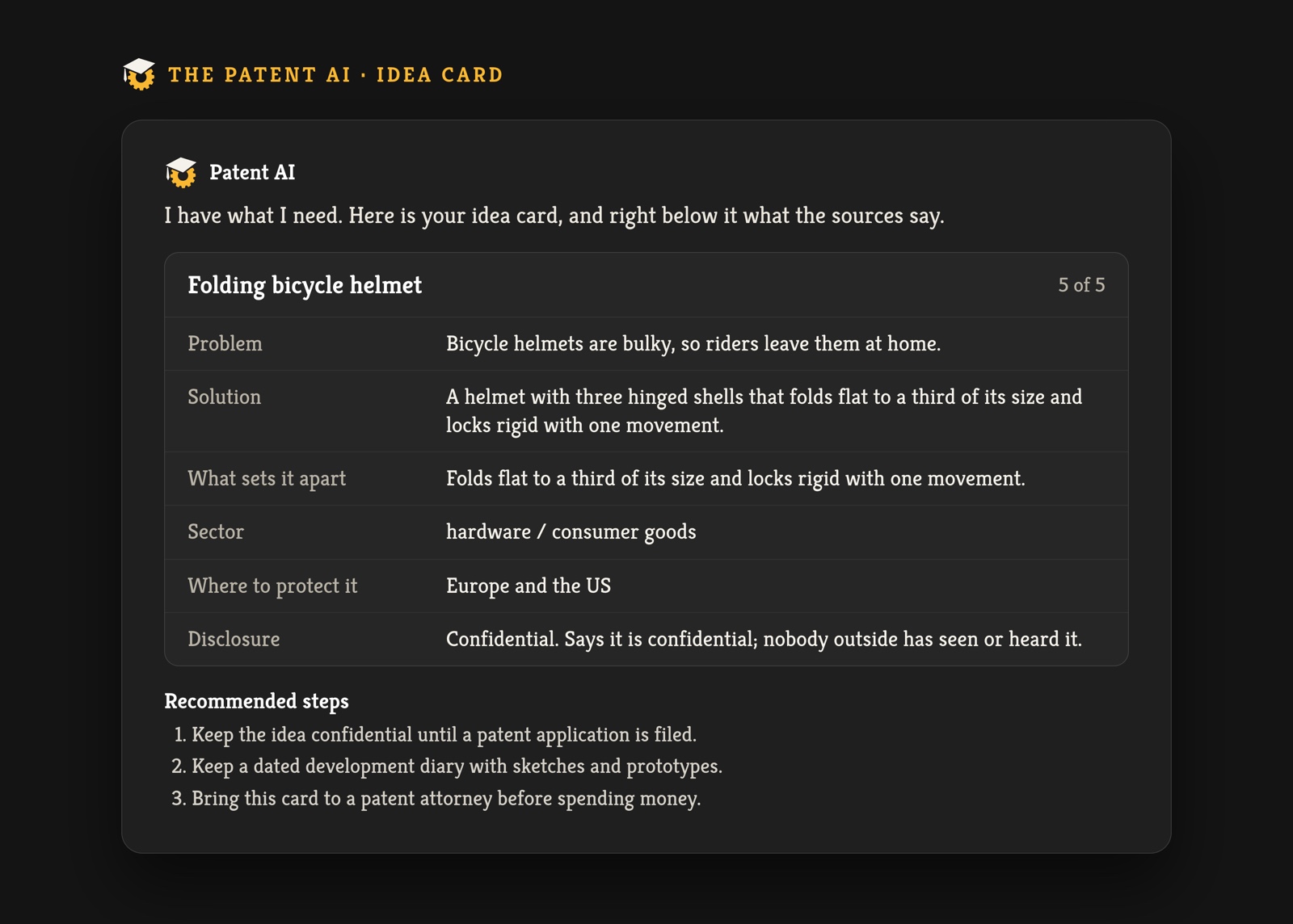 The card at the end of the interview, with all six rows filled.
How does the novelty check work?
Under the card, a box asks "Has anyone patented it already?" and offers a "Check novelty" button. The same box appears under answers about patents, with a field to describe the idea. The check needs an account: each account has one check a month included, and further checks use credits.
It works in four steps. It splits the idea into elements. For each element it runs searches in public patent databases, among them Espacenet of the European Patent Office. It merges and ranks the results and reads the first claim of the best few. Then it compares the elements one by one and shows a table: the element of your idea on one side, the closest documents on the other, each marked "Describes it" or "Similar". A line above the table summarises: "For 1 of 3 elements I found at least one close document." Where nothing turned up, the table says "No document found among those examined."
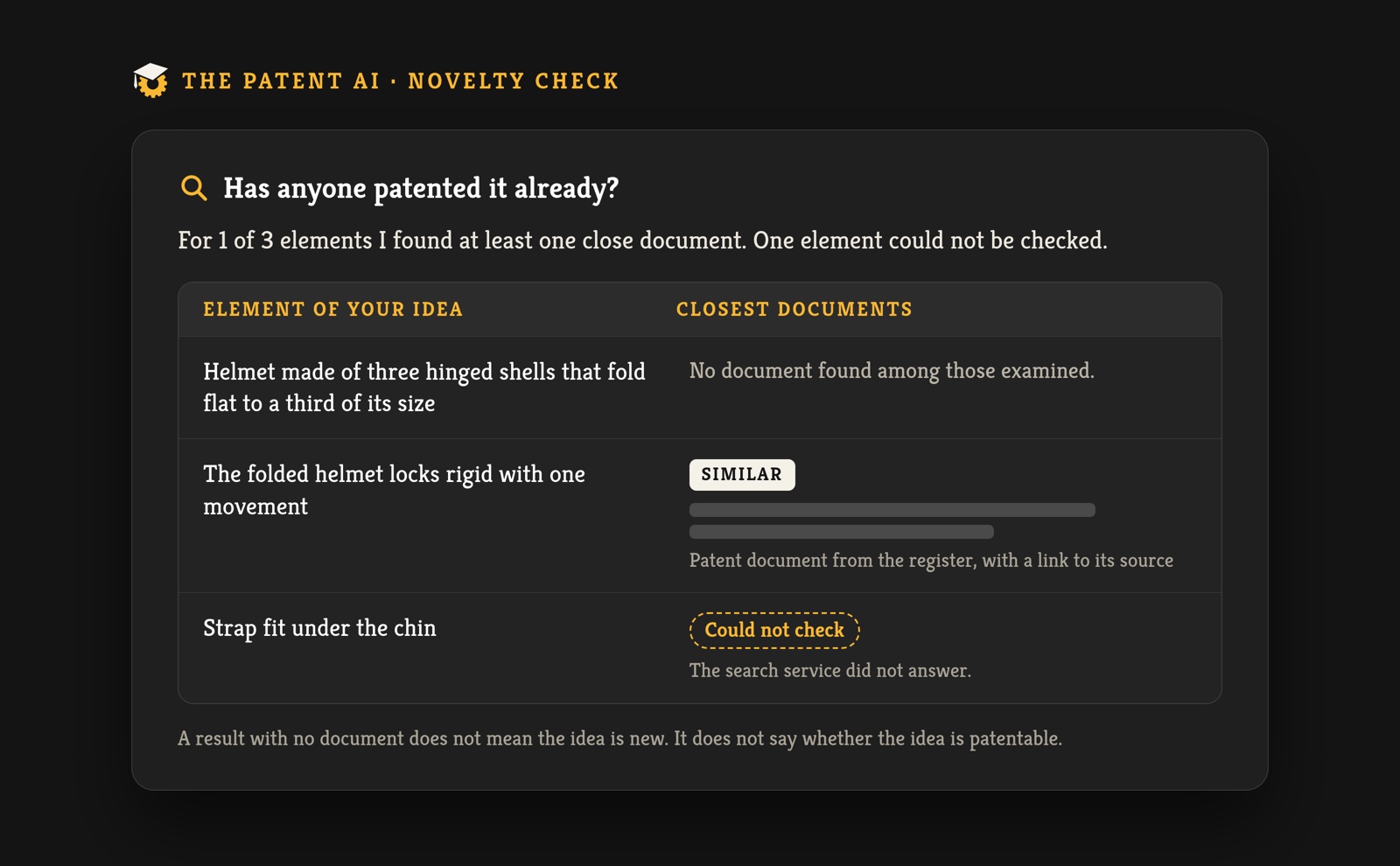 The novelty check result, element by element, with one row it could not check.
What can the check not do?
It says so on screen. It could not check applications filed recently and not yet published, documents that are not indexed, or the full text of the patents. If a search service does not answer, the result says so, because the picture may be incomplete. When the searches return nothing, the tool adds that this does not mean the idea is new.
How are the patents it finds described?
When you ask about a specific patent, the assistant builds a patent card read from the registers, field by field: title, owner, representative on file, filing date, priority, publication date, legal status, last legal event, designated states, states where it lapsed, last annual fee reported, end of term and family. The card names its sources: Espacenet, the European Patent Register, and the legal events and patent family of the European Patent Office. The end of term is marked "calculated", because it is worked out as 20 years from the filing date.
When a register does not give a field, the card writes "not available" and does not fill the gap. Without an account you see the title, the owner and the legal status. The full card and a note for a professional, which lists the facts collected, the open questions and the documents to bring, are for people with a free account.
And trade marks?
The "Search patents and trade marks" card answers from official registers and The Patent archive, with numbered sources, and what it can reach depends on the register. The novelty check compares patents only.
Does this replace a patent attorney?
No. The Patent AI is not legal advice. It helps you describe the idea and arrive prepared. To file, you need a patent attorney, and the idea card and the novelty table are meant to be handed to them. For the cost of filing, see the cost calculator. The presentation page shows the whole tool.
How to check an idea in The Patent AI
- Open The Patent AI. The first five questions need no registration.
- Choose "I have an idea to protect".
- Answer the questions, and be specific about what sets the idea apart.
- Read the card and its sources. Sign up for the free account if you want the full card, the next steps and the PDF.
- Press "Check novelty" and read the table, including the line about what could not be checked.
- Send the card and the table to a patent attorney and ask them to run a full search.
Questions and answers
How can I find out whether my idea has already been patented? Describe it with the problem, how it works and what makes it different, then compare it with published documents. The Patent AI does the first part with an interview and the second with the novelty check, which lists similar patents for each element of the idea.
Does the novelty check tell me if my idea is patentable? No. It lists what it found among the documents it examined and what it could not check. A full search needs a patent attorney.
Why does it ask whether I have shown the idea in public? Because a public disclosure can compromise novelty. The answer goes into the card and shapes the recommended steps.
What does "not available" mean on a patent card? That the register consulted does not give that field. The card says so and leaves it empty.
Is it free? The first five questions need no registration. The full card and the PDF need a free account. The novelty check needs an account too: one check a month is included, and further checks use credits.
Related reading on The Patent ®: Question and answer with a patent attorney: prior art · How to protect my trademarks and ideas? · How much does a patent cost?
AI-assisted article